Somewhere around 2018 or 2019, a friend first spoke to me seriously about artificial intelligence. He was studying mathematics and wanted to work in the field. Listening to him, I thought he was telling me the backstory to The Terminator. I found it hard to believe AI would ever become part of everyday life.
Then, on 30 November 2022, OpenAI made ChatGPT available. I remember getting together with friends and hearing them talk over each other about what they'd managed to ask it and what it had said back. I was sceptical, as usual. Once I tried it myself, my doubts lasted a few minutes. I imagine a lot of people remember that first feeling of surprise.
At the studio we were already using AI for fairly straightforward tasks. We took noise out of renders and increased image resolution. Suddenly you could have a conversation with the software. That took some getting used to.
We'd had to learn things all over again before. When we moved from V-Ray to Corona Renderer, I had to figure out lighting and materials again, even though I'd worked with both in 3D for years. I wrote about that in the story of Terodesign.
How AI Found Its Way into Our 3D Workflow
Midjourney, Stable Diffusion, Magnific, Adobe Firefly, Kling, Nano Banana. Our working vocabulary grew fast. We tried the tools on our own renders to see which ones were useful. I'd upload a rough frame, write a prompt and wait for a beautiful animation. If you've tried it, you probably know the feeling of opening the clip and realising there isn't much point in watching to the end. Stills could be just as surprising. You ask it to regenerate the people, then spend a while working out who it has added.
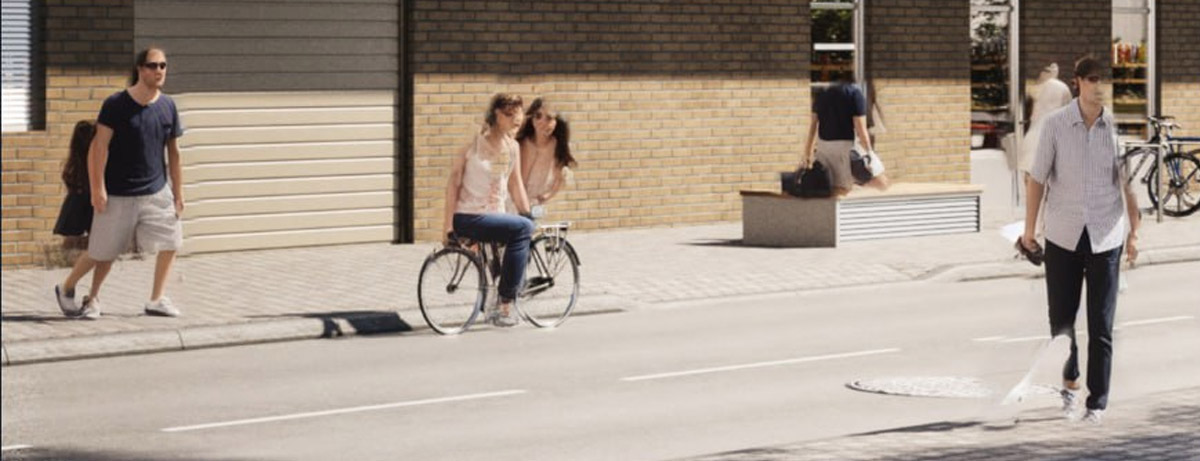
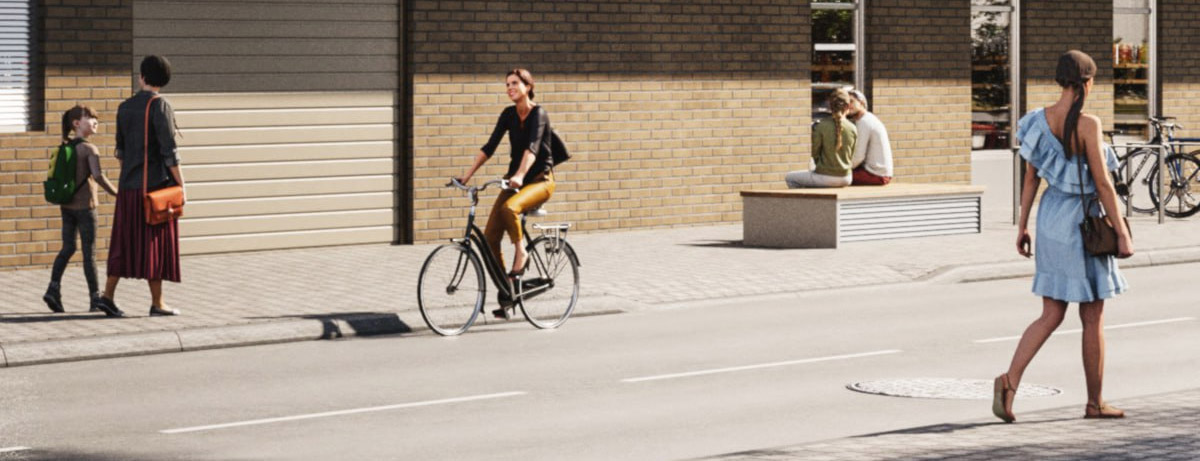
And yet about one test in ten produced exactly what we were after. For an animation, we might take a few seconds from one generation, keep a detail from another and make a third bit in a different service. The result on the timeline was a Frankenstein's monster. Sometimes a rather good-looking one.
Those experiments gave us a better sense of when a test was likely to pay off. We're much more confident about reworking people in a scene now. You can see how they look in finished work in the Terodesign portfolio. For a new job I still keep a plan B. A trick that works on one render can easily let you down on another.
That's how AI gradually found its place in our work on an image. I used to sum up the whole process in four steps. Drawings, 3D model, render and colour correction in Photoshop. Now we can use it to make sense of the source material at the start, test an idea before building it in 3D, then refine a particular element or try out a movement for an architectural animation. There are more steps and more opportunities to shape the result.
While you're getting to grips with one tool, another gets an update and you want to try everything again. We pay in both credits and time. Usually it's the hours I mind losing most, though some of our end-of-month bills for generations took us by surprise. I reckon it'll only get more expensive. And you still have another go. Long before AI, we could spend ages on an image if we could see a way to make it better. That hasn't changed.
Being able to try an idea quickly turned out to be useful with code, too. After years of opening 3ds Max or Photoshop, you know exactly which steps you have to repeat over and over. Those are the moments when you think about the button that ought to be there. Life as a 3D artist would be a bit easier if it were.
Once I realised AI agents could help me make that button, I got into vibe coding and more or less disappeared for a month. I studied programming, as I mentioned in the story of Terodesign's beginnings. I think even someone who doesn't know how to reinstall Windows could do this today. It's become much easier.
We made about ten utilities for 3ds Max and Photoshop. Some cut down on routine work, others catch mistakes while they're still easy to fix. A few help us prepare material for clients more quickly. You work out what you want a tool to do in the morning, and you're using it by lunchtime. Magic!
That said, the first working version is where the work really begins. It takes testing and revisions to make a tool the team can rely on every day. We've already updated our 3ds Max scripts 65 times!
What We're Responsible for
Catching a mistake before it reaches the client matters in code and in images. Property developers often use 3D visualizations to launch sales while the foundations are still being excavated. Imagine an extra window appearing in an apartment render. A buyer might expect more light in the bedroom or a view of the courtyard. If the mistake turns up after the campaign has gone live, the materials have to be replaced and the sales team has to explain why the building looks different in the picture. Before we deliver, we check the images against the drawings and the agreed design so AI hallucinations don't reach the buyer.
There was a lot of talk on social media about clients soon making their own renders. I think that usually comes from people who have little sense of how much else a developer has to deal with. Some will give it a try. Most, I think, will look for a studio that will prepare and check the images and take responsibility for the result. I've already gone into how often generations can throw up mistakes.
There's a lesson here for us, too. If you send a client a frame with a mistake a generator could have made, how are you any different from it at that moment? Often it's enough to check your work once more. And if you see a better way to do something, suggest it. When the client knows we'll spot a problem and deal with it in time, they don't have to keep track of it themselves. Part of what they pay us for is that peace of mind. At Terodesign we've had more work over these years, and expectations have gone up.
There are plenty of predictions about the future, and no two people seem to agree. I'm more interested in what we can do for clients right now. We have new ways to test ideas, tackle technical problems and try creative approaches that used to be hard to get off the ground. That's where I want to spend my time.
I've only covered part of the work where we use AI. I might go into how we do some of it in a future article.
A Few Examples from Our Work
Without AI, it would have been hard to meet the deadlines or get the results we needed on these jobs. There are some we simply wouldn't have taken on before.
Lofoten Prestige II - a landscape without a drone shoot
For the photomontage we needed views of the landscape from specific points. We'd agreed the angles with the client ahead of time, but we didn't have the right photos. Waiting for weather that would let us fly a drone was a risk. The client had already planned the campaign and the shoot could have held it up.
We found photos of the area, checked Google Maps and generated landscapes for the agreed angles. After a few rounds of refinement, the surroundings were close to the real place. The client was happy and we could keep the job moving without waiting for a shoot. Lofoten Prestige II visualizations.
Les Jardins de Lully - two and a half minutes of animation in a week
We had a week for the animation. The client needed around 150 seconds of video. With our usual process, we'd have allowed several months for that much work.
We prepared the camera tracking and set up frame processing with an AI service. We delivered the animation on time. The campaign launched as planned, and the client was happy with the result. Les Jardins de Lully animation.
Kalme - an interior designed around the product
For Kalme's website, we needed to show the products in an interior that was still to be designed. The references on Pinterest made it hard to tell how those particular pieces would look in a new setting. We wanted to design a space around them.
We used the product photographs and the client's brief to generate a few rough concepts. We agreed a direction before getting into the details. From there we knew what we were building and why. The final images were accepted with barely any revisions. We spent less time looking for ideas and redoing work. Kalme interior visualizations.